

- documents on the knowledge base
- conversation type
- hard and soft skills evaluation criterias
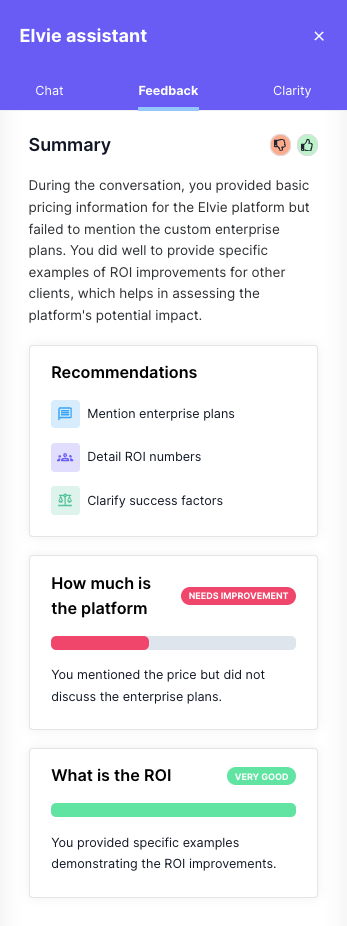
Summary
This sections is a critic assessment about the conversation. It usually describes the areas that you need to improve and the ones you did well.Recommendations
This sections describes three recommendations for you to improve your overral scoreAssessment
This section describes a score for the Hard and Soft skills configured on the Module. For each one the the skills it will give a score and a description. The score can be one of the following:- needs improvement
- neutral
- good
- very good